htmlintermediatemitFeatured
Terminal Hero
A developer hero featuring a terminal window.
7.8k3.5k1.3k523
About this module
A hero aimed at developers, with a fake terminal window showing an install command — instantly communicates the product.
#hero#developer#terminal#code
Source code
Installation
- 1
Create the files
Create `index.html` and `style.css` in the same folder.
- 2
Paste the code
Copy each file's source into its matching file.
- 3
Open in the browser
Open `index.html` in any modern browser.
Usage
- 1
Copy the HTML
Paste the section markup where you need it.
<link rel="stylesheet" href="style.css" />
<section class="mh-sec mh-term-hero">
  <div class="mh-container mh-center">
    <span class="mh-eyebrow">✦ Developer platform</span>
    <h1 class="mh-h1">Your harbor for<br/>production-ready modules</h1>
    <p class="mh-sub">Copy. Paste. Ship. Every module previewed, documented and ready to use.</p>
    <div class="mh-term" role="img" aria-label="Terminal showing an install command">
      <div class="mh-term-bar"><span></span><span></span><span></span><em>bash</em></div>
      <pre><code><span class="mh-cmd">$</span> npm install moduleharbor/cli
<span class="mh-cmd">$</span> mh add animated-gradient-button
<span class="mh-ok">✓</span> Component copied into ./components/</code></pre>
    </div>
  </div>
</section>
Related modules
 Featured
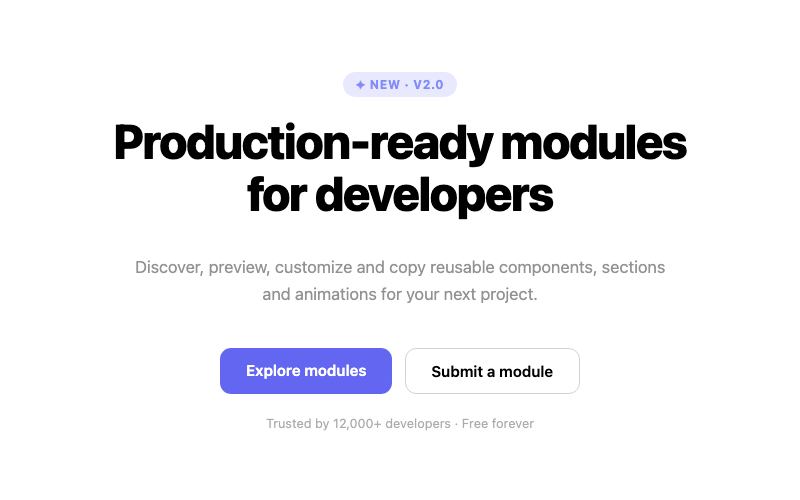
Centered Hero
A centered headline hero with dual CTAs.
htmlbeginner
3.5k2.2k509379

Split Hero
A two-column hero with copy and a visual panel.
htmlintermediate
7.8k1.5k487357

Gradient Hero
A hero with an animated gradient background.
htmlintermediate
2.6k3.3k417287

Minimal Hero
A restrained hero with lots of breathing room.
htmlbeginner
9.2k1.9k256126